Cloud Control documentation
Cloud Control documentation: guides, tutorials and a complete API reference for the single-pane-of-glass console across AWS, GCP, Azure and Alibaba Cloud.
Cloud Control is a single pane of glass for teams that run infrastructure across more than one cloud. It connects your AWS, GCP, Azure and Alibaba Cloud accounts read-only, keeps a live inventory of what you run, maps how your networks connect, tracks your spend, and gives your team role-based access to all of it — without asking anyone to juggle four consoles and four sets of credentials.
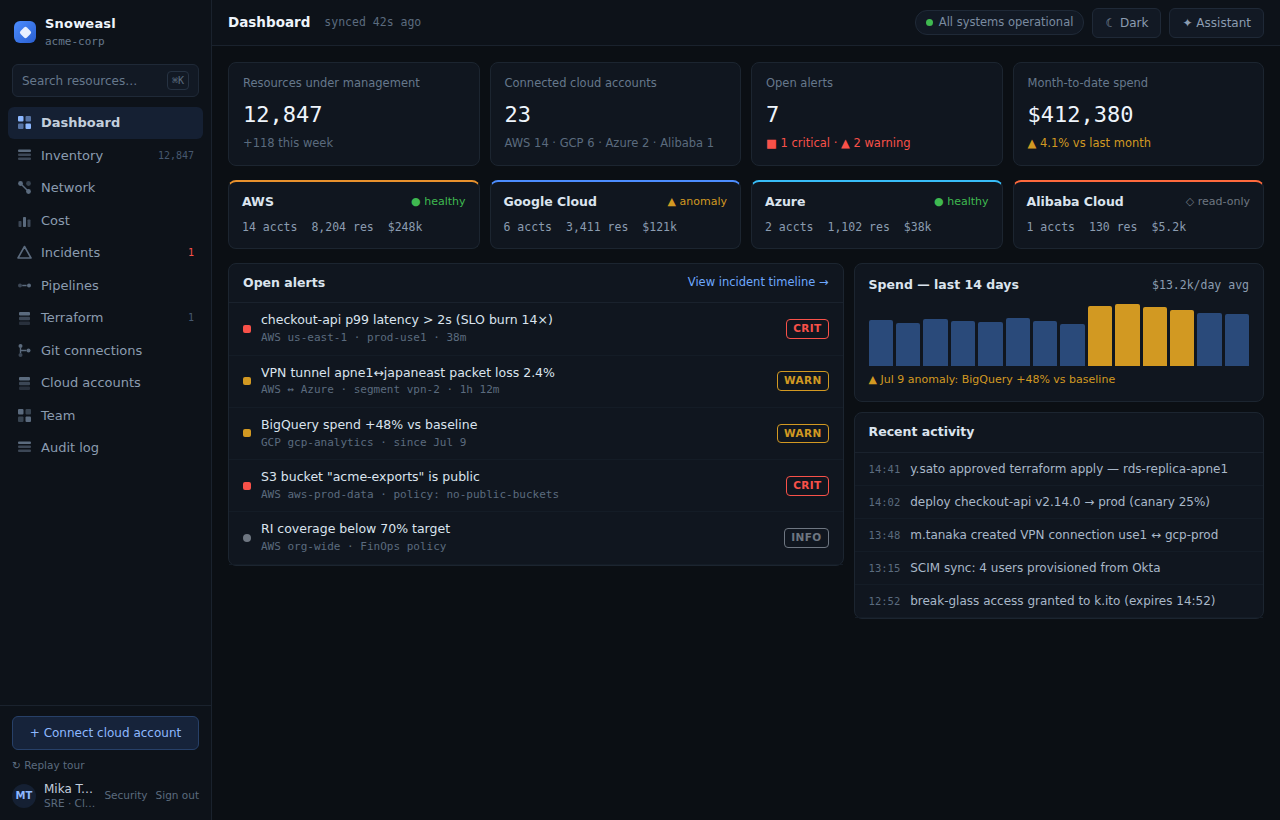
This documentation is task-oriented. If you are evaluating Cloud Control, start with What is Cloud Control and the 5-minute quickstart. If you are integrating, jump to the API reference. If you administer an organization, the Roles & permissions guide is the fastest way to get your team set up safely.
Cloud Control is built in rounds. Throughout these docs, features are labelled by how far they have shipped: real (implemented and covered by the end-to-end test suite), preview (the screen exists with representative data while the real engine is under construction), and on the roadmap (planned, not yet built). Cross-cloud inventory sync, RBAC, SSO, API tokens and the FinOps cost engine are real today; Terraform apply, pipelines, the AI assistant and SAML/SCIM are preview or roadmap.
Start here
- What is Cloud Control — the product, who it is for, and how the pieces fit together.
- Core concepts — organizations, users and roles, cloud accounts, inventory, and the empty-to-real cutover in one page.
- Sign in — how to sign in, then register an organization and connect your first cloud account.
- 5-minute quickstart — register an organization, connect your first cloud, and watch inventory appear.
Build with the API
- API introduction — base URL, session vs. Bearer-token auth, the error shape, and the rules that keep the API enumeration-safe.
- Generate an API token and query resources — a copy-paste tutorial using real
curlagainst/api/cloud/resourcesand/api/finops/cost. - Cloud accounts API and Cost / FinOps API — the endpoints most integrations use first.
Operate your organization
- Roles & permissions — the full capability matrix from Viewer to Owner, plus platform admin.
- Connect an AWS account and Connect a GCP account — cross-account roles and workload identity federation, no long-lived keys.
- Cost management & FinOps — FOCUS-normalized spend, budgets and anomaly detection.
- Security model — how sessions, MFA, secret storage and multi-tenant isolation work.