Generate an API token and query resources with curl
Create a Cloud Control API token, then use it with curl to query your inventory and cost — real Bearer-authenticated calls against /api/cloud/resources and /api/finops/cost.
This tutorial creates an API token and uses it from the command line. A token authenticates as you within your organization, with a role that caps its capabilities.
- Create the token
In the console (Team → tokens) or via
POST /api/org/tokens, create a token with a name and a role no higher than your own. Copy thecc_pat_…secret from the response — it is shown exactly once.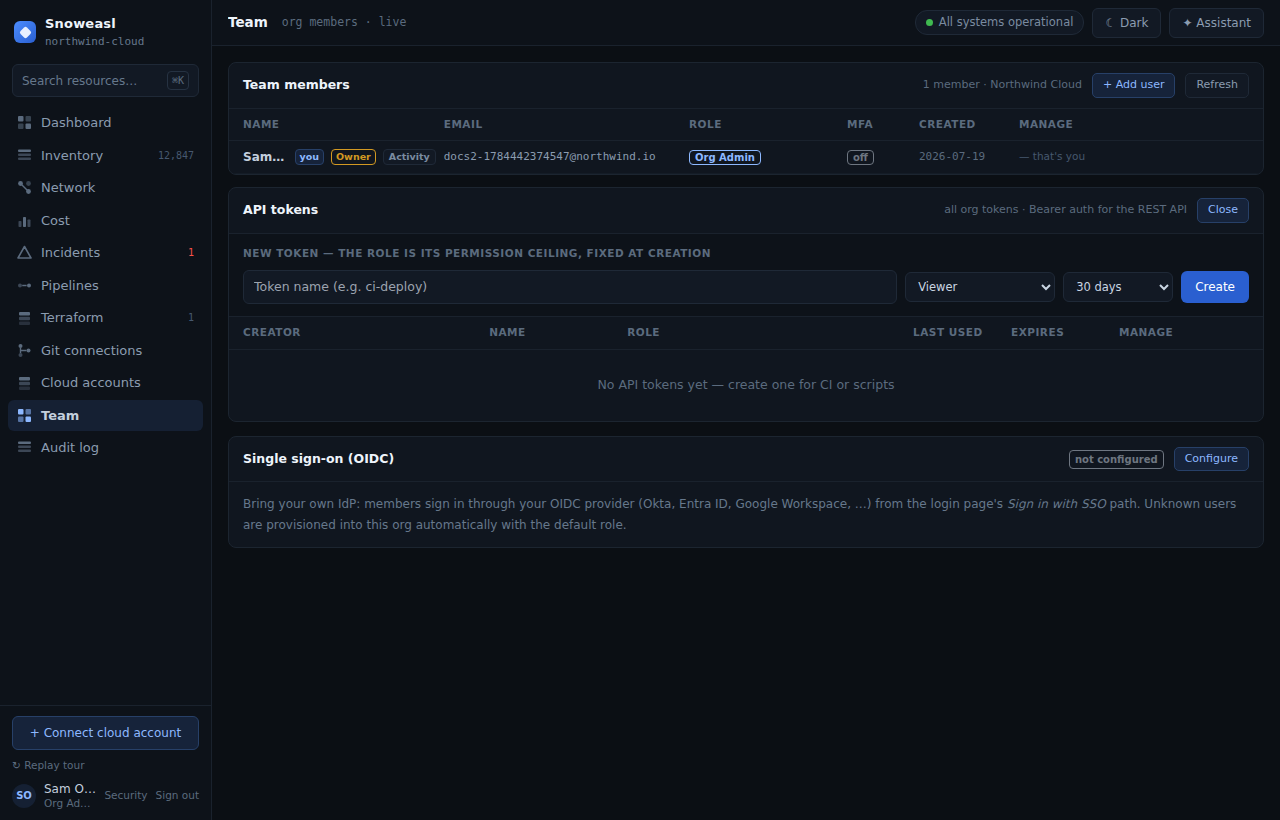
- Store it as an environment variable
Keep the secret out of your shell history and scripts by exporting it once.
- Query your inventory
Call the resources endpoint with the Bearer header. Filter by provider, type and region; page with the returned
nextCursor. - Query your cost
Call the cost endpoint for FOCUS-normalized spend. A never-connected org returns
{ empty: true }. - Revoke when done
Revoke the token with
DELETE /api/org/tokens/{id}when the automation no longer needs it. An expired or revoked token returns401.
Create and export
# Create a read-only token (from a signed-in session cookie):
curl -s https://cloud-control.snoweasl.com/api/org/tokens \
  -X POST -b cookies.txt \
  -H "Content-Type: application/json" \
  -d '{"name":"inventory-export","role":"Viewer","expiresDays":30}'

# Copy the returned secret, then:
export CC_TOKEN="cc_pat_..."
Query resources
curl -s "https://cloud-control.snoweasl.com/api/cloud/resources?provider=AWS&limit=50" \
  -H "Authorization: Bearer $CC_TOKEN"
Query cost
curl -s https://cloud-control.snoweasl.com/api/finops/cost \
-H "Authorization: Bearer $CC_TOKEN"Token-administration endpoints require a session cookie — a Bearer-authenticated request to create or revoke tokens returns 403. Create tokens from a signed-in session.