Create a budget and catch a cost anomaly
A tutorial for Cloud Control FinOps: ingest cost, create a monthly budget with a threshold, read the evaluated ok/warn/breached state, and inspect a detected spend anomaly.
This tutorial creates a budget and reads Cloud Control's anomaly detection. You need a connected organization with cost ingested; the manage_cloud_accounts capability to ingest, and mutate_infra to create budgets (Viewers can read but not create).
- Ingest cost
If you just connected, cost is ingested automatically. Otherwise trigger it with
POST /api/finops/ingest. Once cost exists, the Cost screen switches from empty to real. - Read your spend
Open Cost (
/cost). Review spend by cloud, by service, and by team tag — note the explicit untagged bucket, and that the buckets sum to the cloud total.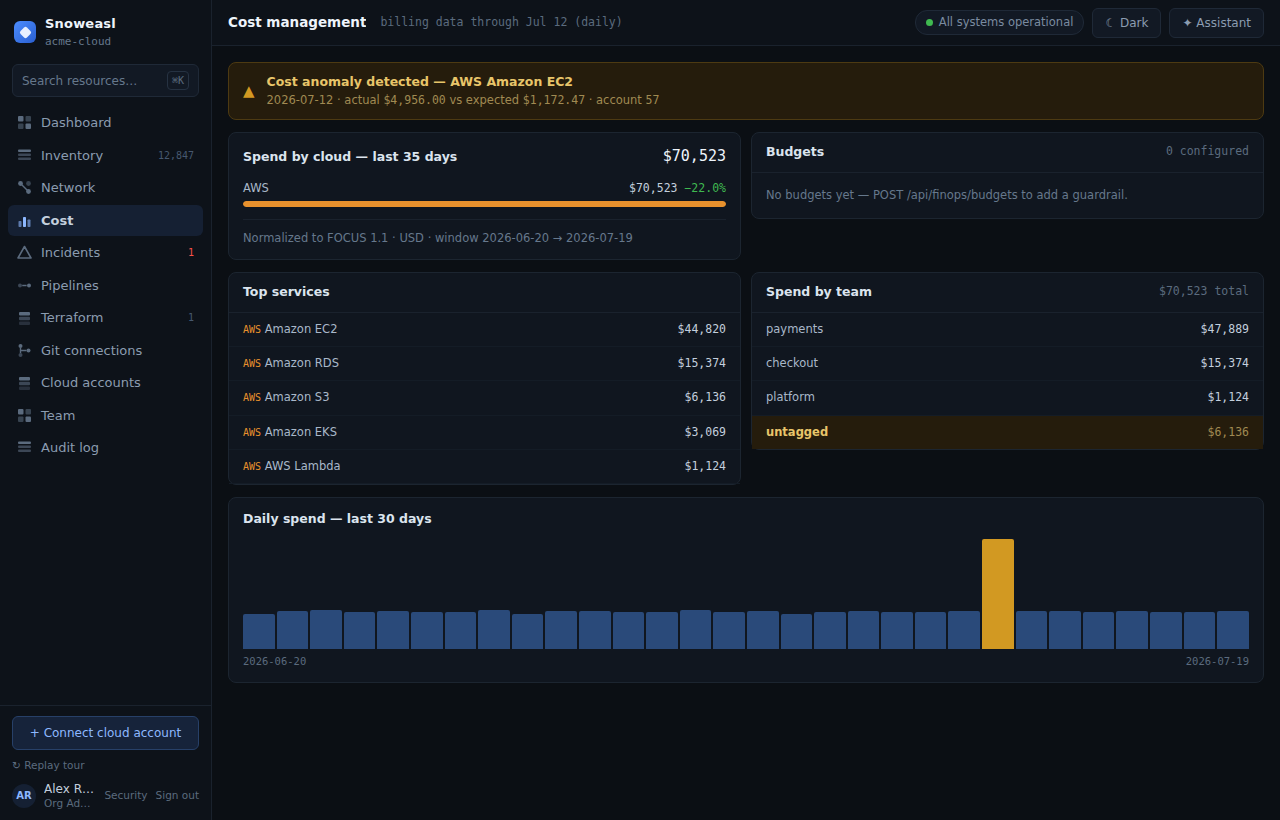
- Create a budget
Create a monthly budget with a name, an amount and a threshold via
POST /api/finops/budgets. Its evaluated state appears on the Cost screen. - Read the budget state
The budget shows
okwhile under threshold,warnonce spend crosses the threshold, andbreachedonce it exceeds the amount. The state is computed against actual spend on every cost read. - Inspect an anomaly
If a service's daily spend spikes well above its trailing-28-day baseline, Cloud Control flags it. The anomaly names the provider, service, account, day, and the expected vs. actual amount, and is highlighted in the daily chart.
curl -s https://cloud-control.snoweasl.com/api/finops/budgets \
  -X POST \
  -H "Authorization: Bearer cc_pat_YOUR_TOKEN_HERE" \
  -H "Content-Type: application/json" \
-d '{"name":"Prod monthly","amountMonthly":50000,"scopeKind":"all","threshold":0.8}'Each distinct anomaly (org + provider + service + day) is persisted and audited exactly once as finops.anomaly_detected, so re-ingesting does not spam your audit log.